Showing posts with label slashdotted. Show all posts

Wednesday, 28 March 2007

KDE 4.0 the holy grail of Desktops ?

A couple of weeks back, I was greeted by the news of a very interesting project having been moved to KDE base. The project in question is a file manager named Dolphin. What is unique about this file manager is that it is light weight, is simple to navigate without overwhelming the Computer neophytes but at the same time does not sacrifice much functionality.

In fact, I installed Dolphin on my machine which has only one window manager namely Xfce. I do not have KDE on this machine. And normally, my experience is that while running KDE applications in non-KDE window managers, the applications suffer some latency at the time of start up. But I was surprised to see that Dolphin started as quickly as any other application. I would so much as say it was even quicker to start up than its equivalent Gnome file manager Nautilus in Gnome. I do not want to start anything by comparing one file manager with another. But let me say this, Dolphin is as easy and simple to use as the Gnome file manager.

Fig: Dolphin file manager with three different file views including split panes.

On concerns shared by the power users who have grown to love the present default file manager in KDE namely Konquorer, this is what Aaron.J.Seigo - the lead developer of KDE project had to say - and I quote :
So, what is the point of dolphin? First, I think it's obvious to everyone that konqueror kicks some pretty serious ass. The downside is that it's really tuned for a particular category of power users. Our plan is therefore to introduce a file manager that is aimed at the rest of the masses and tuned specifically for file management. Where does this leave konqueror? As a power user's app and generally useful multi-function tool. i expect we will continue to ship konqueror in its current form, modulo kde4 improvements to the ui and guts.
From the above statement, I have inferred two things namely :
  1. The KDE users who have the mind set of Linus Torvalds need not worry as the new KDE (4.0) will still have all the features that make it the favorite of power users. And more importantly ...
  2. The KDE team is making a pitched effort to rein in rest of the people which includes the grandmas and grandpas of this world by providing them an alternate file manager which doesn't overwhelm them.
I am sure you will agree with me that a file manager forms one of the most frequently used application in any desktop. You can't think of a OS or desktop devoid of a file manager. And by integrating the light weight file manager Dolphin into the KDE base, the KDE team is sending out a strong signal that it aims to be a Desktop fit for all kinds of people namely the power users and the grandma kinds alike.

Indeed if this trend is duplicated across other KDE applications, KDE 4.0 could very well end up as the holy grail of Desktops.

Thursday, 4 January 2007

A sneak preview of the expected features in KDE 4.0

Ever wonder what KDE 4.0 is going to look like when it is finally released some time this year ? As far as end users should be concerned, it is going to be much more beautiful, responsive and usable than KDE 3.5.

Some of the features that it will have are as follows:

KDE 4.0 is perceived to make extensive use of SVG (SVG stands for Scalable Vector Graphics) for images instead of non scalable pixmap that is used now. For example, in KDE 3.5.x, games artwork are in pixmap and are at best lackluster. But we can see some great artwork in games in KDE 4.0 which will be using SVG.

Fig: Kreversi game in KDE 3.x and 4.0 respectively

Fig: KMajhong game in KDE 3.x and 4.0

Fig: Ksysguard in KDE 3.x and 4.0

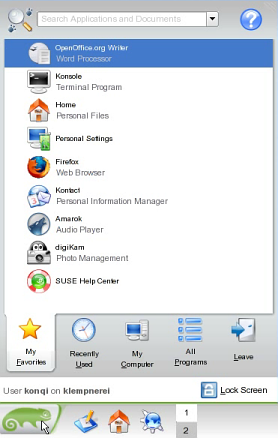
The start menu is going to be redesigned. The sneak preview released indicates that it will have inner tabs and the applications will be grouped dynamically taking into consideration the usage of the person. Update (09-Jan-2007): A number of people have written to point out that the menu for KDE 4.0 while it just might incorporate some of the features of the kickoff menu shown below, has not been finalized yet, rather work is going on and it is developed implementing the Qt 4.2 libraries. The new menu is known by the name Raptor (More details here).

Fig: Sneak preview of the start menu in KDE 4.0

KDE 4.0 will replace the present DCOP inter process communication (IPC) system with a more advanced version built from grounds up known as D-Bus. IPC is a system which lets different applications communicate with each other.

KDE 4.0 will feature an API layer called Solid which will interact with projects like the hardware abstraction layer to let hardware connect smoothly with KDE.

KDE 4.0 will feature better multimedia experience through a project called Phonon which will collaborate with Solid. So no more need to choose multimedia backends as the Phonon API will take care of it.

Plasma will provide the next generation desktop experience in KDE 4.0. It is planned to integrate three separate applications namely the Kicker (Panel), KDesktop and Super Karamba (Widgets) into a single application. And the surprise of all things is that it will be possible to run the beautiful Dashboard widgets of Mac OSX in KDE 4.0.

KDE 4.0 will sport a brand new icon set created by the Oxygen project.

The KDE developers are working to provide a better communication experience through the project named Decibel. Through this project, it will be possible to provide integrated chat and phone communication including with networks such as MSN, Jabber and Skype.

And lastly, the Akonadi project intends to design a extensible cross-desktop storage service for PIM data and media-data to communicate with KDE, Gnome, POP, and IMAP through the same storage protocol. And this will be available in KDE 4.0.

But the biggest change is going to be inside the hood so to speak. KDE 4.0 will be using Qt 4.2 library which brings with it its own extensive set of improvements. For instance, Qt 4 is designed to save lots of memory and will perform faster. Besides the speed improvement, Qt 4 has a lot of other features and some things are simplified. So programmers need less time to develop applications which run in KDE 4.0.

And since Qt 4 library has been released under GPL, one can look forward to KDE 4.0 being ported to Windows and Mac OSX. Earlier versions of Qt is available under GPL only on unix/X11 and is released under a commercial license for development in Windows and Mac OSX . So KDE 3.x and earlier which uses Qt 3.x found it difficult to be ported to these platforms.

Sunday, 17 December 2006

Various ways of detecting rootkits in GNU/Linux

Consider this scenario... Your machine running GNU/Linux has been penetrated by a hacker without your knowledge and he has swapped the passwd program which you use to change the user password with one of his own. His passwd program has the same name as the real passwd program and works flawlessly in all respects except for the fact that it will also gather data residing on your machine such as the user details each time it is run and transmit it to a remote location or it will open a back door for outsiders by providing easy root access and all the time, you will not be aware of its true intention. This is an example of your machine getting rooted - another way of saying your machine is compromised. And the passwd program which the hacker introduced into your machine is a trojaned rootkit.

A rootkit is a collection of tools a hacker installs on a victim computer after gaining initial access. It generally consists of network sniffers, log-cleaning scripts, and trojaned replacements of core system utilities such as ps, netstat, ifconfig, and killall.

Hackers are not the only ones who are found to introduce rootkits in your machine. Recently Sony - a multi billion dollar company, was found guilty of surreptitiously installing a rootkit when a user played one of their music CDs on Windows platform.This was designed *supposedly* to stop copyright infringement. And leading to a furore world wide, they withdrew the CD from the market.

Detecting rootkits on your machine running GNU/Linux
I know of two programs which aid in detecting whether a rootkit has been installed on your machine. They are Rootkit Hunter and Chkrootkit.

Rootkit Hunter
This script will check for and detect around 58 known rootkits and a couple of sniffers and backdoors and make sure that your machine is not infected with these. It does this by running a series of tests which check for default files used by rootkits, wrong file permissions for binaries, checking the kernel modules and so on. Rootkit Hunter is developed by Michael Boelen and has been released under a GPL licence.

Installing Rootkit Hunter is easy and involves downloading and unpacking the archive from its website and then running the installer.sh script logged in as root user.

Fig: Rootkit Hunter checking for rootkits on a Linux machine.

Once installed, you can run rootkit hunter to check for any rootkits infecting your computer using the following command:
# rkhunter -c
The binary rkhunter is installed in the /usr/local/bin directory and one needs to be logged in as root to run this program. Once the program is executed, it conducts a series of tests as follows :
  • MD5 tests to check for any changes
  • Checks the binaries and system tools for any rootkits
  • Checks for trojan specific characteristics
  • Checks for any suspicious file properties of most commonly used programs
  • Carries out a couple of OS dependent tests - this is because rootkit hunter supports multiple OSes.
  • Scans for any promiscuous interfaces and checks frequently used backdoor ports.
  • Checks all the configuration files such as those in the /etc/rc.d directory, the history files, any suspicious hidden files and so on. For example, in my system, it gave a warning to check the files /dev/.udev and /etc/.pwd.lock .
  • Does a version scan of applications which listen on any ports such as the apache web server, procmail and so on.
After all this, it outputs the results of the scan and lists the possible infected files, incorrect MD5 checksums and vulnerable applications if any.

Fig: Another screenshot of rootkit hunter conducting a series of tests.

On my machine, the scanning took 175 seconds. By default, rkhunter conducts a known good check of the system. But you can also insist on a known bad check by passing the '--scan-knownbad-files' option as follows :
# rkhunter -c --scan-knownbad-files 
As rkhunter relies on a database of rootkit names to detect the vulnerability of the system, it is important to check for updates of the database. This is also achieved from the command line as follows:
# rkhunter --update
Ideally, it would be better to run the above command as a cron job so that once you set it up, you can forget all about checking for the updates as the cron will do the task for you. For example, I entered the following line in my crontab file as root user.
59 23 1 * * echo "Rkhunter update check in progress";/usr/local/bin/rkhunter --update
The above line will check for updates first of every month at exactly 11:59 PM. And I will get a mail of the result in my root account.

Chkrootkit
This is another very useful program created by Nelson Murilo and Klaus Steding Jessen which aids in finding out any rootkits on your machine. Unlike Rootkit hunter program, chrootkit does not come with an installer, rather you just unpack the archive and execute the program by name chrootkit. And it conducts a series of tests on a number of binary files. Just like the previous program, this also checks all the important binary files, searches for telltale signs of log files left behind by an intruder and many other tests. In fact, if you pass the option -l to this command, it will list out all the tests it will conduct on your system.
# chkrootkit -l
And if you really want to see some interesting stuff scroll across your terminal, execute the chkrootkit tool with the following option:
# chkrootkit -x 
... which will run this tool in expert mode.

Rootkit Hunter and Chkrootkit together form a nice combination of tools in ones forte to detect rootkits in a machine running Linux.

Update: One reader has kindly pointed out that Michael Boelen has handed over the Rootkit Hunter project to a group of 8 like minded developers. And the new site is located at rkhunter.sourceforge.net

Sunday, 12 November 2006

Is Free Software the future of India? Steve Ballmer CEO of Microsoft answers...

The solemn occasion was the talk show hosted by NDTV 24x7 - a premier cable television news channel in India. And the discussion centered on the topic - "Bridging the digital divide between the urban rich and rural poor in India". The panel composed of distinguished personalities including Steve Ballmer - the CEO of Microsoft, N.R. Narayana Murthy - Chairman of Infosys Technologies, Ashok Jhunjunwala professor of Electrical Engineering from IIT Chennai and Malvinder Mohan Singh - the chief executive and MD of Ranbaxy Laboratories. And the talk was hosted by NDTV's Prannoy Roy. The very first question that was asked off Steve Ballmer was the following: Is Free Software the future of India?

Taking care not to use the word(s) "Free software", Mr Ballmer conceded that a number of revenue streams including those by selling hardware, internet connectivity and software are important. He went on to say, "As rich and good be bridging the digital divide, software companies should look forward to three or four sources of income. Many revenues for software companies will come from not any one thing but will include subscription fees, lower cost hardware, advertising and of course traditional transaction (read proprietary software)". He does agree that "prices must come down" though it was plain to see him take care not to use the word "FREE" in his answer.

Another question that was posed to him was "Is bridging the rural divide all about money ?". Mr Ballmer answered by saying "It is not not about money but also not about short term profits". In short Microsoft is looking for long term profits.

And when asked , "American government spearheads democracy. Are the American businesses in tune with that?". He answered as follows: "Any multi-national should behave appropriately and lawfully in any country in which it does business. But our primary aim is to have a generally more helpful participation in world economy". He went on to say, "You can do three things ... you can stay in and do nothing, stay in and have a point of view or stay out".

Watching the talk show, I could not help thinking that Microsoft is more or less resigned to the fact that Open Source and Free Software is here to stay. And what ever one might do, you cannot easily wish it away. If you can't beat them, join them is the new mantra at Microsoft. The recent news of Microsoft's acquisition (sic) of (Um... partnership with) Novell being a case to the point. But I was left with the feeling that Microsoft needs to be honest and more outright in acknowledging the very important part that Free Software and Linux plays in the over all big picture in IT. Steve Ballmer was on a three day visit to India, his itinerary included calling on the Indian Prime Minister Dr Manmohan Singh to discuss Microsoft's future plans for India.

Wednesday, 4 October 2006

Here is why the anti-piracy technology being in-build in Windows Vista could be good for GNU/Linux

I recently read a news item which disclosed that Microsoft plans to incorporate anti-piracy technology into the yet to be released Vista OS. This set me thinking. What does this hold for GNU/Linux? Put differently, could this move by Microsoft have any positive effect on the popularity of GNU/Linux ?

Before we jump into talking about Linux and what it stands to gain from this, let us look at the present scenario as far as Windows use is concerned. It is a well known fact that around 70 % (I suspect even more) of the Windows OS that is run on PCs worldwide is pirated. Which means only 30 % of the people who use Windows actually pay for it and use a genuine licenced copy. This trend is more prevalent in third world countries where there is a mind set among the majority of computer literate people which equates (any) software with freeness as in free beer.

It is so easy to walk into a shop selling computers and request them for a copy of any of the Windows OS and you can get it for the cost of a blank CD - around US $1. Of course with Windows XP it is not possible to install the service pack 2 and above if it is a pirated copy - but then do people really bother to install the service packs if the only alternative is to shell out money and buy a genuine licence ? I really doubt it.

For example, in India, software piracy is so rampant and ingrained in the society that the top branded computer manufacturers are forced to sell computers without an OS or with Linux pre-installed to compete with the assembled PC sector. The various PC ads in newspapers are proof enough for this.

Now when Microsoft finally release Vista with inbuilt anti-piracy technology, if what has been disclosed is true and there is no option other than to register the copy at Microsoft website in order to fully enable it, then it will open up the flood gates for alternatives to Vista. For one, people - ie those who shy away from shelling money for the software - will genuinely take interest in installing and using GNU/Linux.

Assembled PC manufacturers (who are a sizable group) will go the extra length in convincing their potential customers to buy a PC pre-installed with Linux and will hopefully impress upon them the good aspects of GNU/Linux - after all they also have to look at their bottom lines and at the same time be able to provide a PC at a more competitive rate than the branded PCs. And once these people start using GNU/Linux, they will realise how much value this remarkable OS and the applications installed in it can provide when compared to a similar proprietary solution which costs bundles of money.

Of course, this may not in any way cause a dent in the Microsoft's kitty; if anything, this move by Microsoft will only increase its revenue. But then a reduction in piracy will be a win-win situation for all parties concerned as for Microsoft, it can be happy that all who use its OS is actually buying a genuine licenced copy and for Free software and GNU/Linux in particular, it is still a win because it will be able to attract those sizable group of people who are not willing to shell out money for software or OS.

Sunday, 17 September 2006

A visual walk through of a couple of the new features in Vim 7.0

A very prominent personality once said, and I quote :
"Sometimes, people ask me if it is a sin in the church of Emacs to use the editor Vi. It is true that Vi-Vi-Vi is the editor of the beast...."
Just for once, I wouldn't mind siding with the beast if that is what it takes to use Vi. The modern avatar of Vi is Vim - the free editor created by Bram Moolenaar. Riding from strength to strength, this editor in its 7th version is a powerhouse as far as an editor is concerned. When ever I use Vim (or GVim for that matter), it gives me the impression of the Beauty and the Beast. It is very beautiful to look at - if you are like me who finds beauty in software , and it is also as powerful as a beast. I use this editor exclusively for all my editing needs that, when I use any other editor, I inadvertently press escape key. That should give you an idea of how ingrained the use of this editor has become in my computing life.

Vim 7.0 - the latest version has a slew of new features built into it. Some of them which I am aware of are as follows:

On the fly spell checking
Vim 7.0 has an on the fly spell checker built into it similar in lines to that found in Microsoft Word. By default, this feature is turned off. But by navigating to Tools -> Spelling -> "Spell check on", you can make Vim display all the mis-spelled words in your document. It does this by highlighting them with red coloured wriggly lines. And all it takes to correct the misspelled words is to move the caret to the highlighted word and while in "Vi Command mode", press 'z=' and Vim will show a list of words closest in relation to the misspelled words and the user can choose from them.

Fig: On the fly spell checking

Suppose, you want GVim to recognise the word GVim as a valid word. It is possible to tell the spell checker that GVim is a good word by moving the cursor on the GVim word and pressing 'zg' in command mode. On a similar vein, it is possible to tell Vim spell checker that a word is wrong by pressing 'zw'. Vim stores the good/bad words that the user recognises in a file associated with the variable spellfile. If the file is empty or not created, then Vim will create one automatically and store the words in this file for future use.

Other spelling related commands
:set spell - Turns on the spell checking
:set nospell - Turns off the spell checking (can be achieved using GUI too).

:]s - Move to the next mis-spelled word in the document.
:[s - Same as above command but searches backwards.
z= - Shows a list of close matches to the mis-spelled word from which the user can pick the correct one.

Bracket highlighting
This feature is most useful for programmers than for ordinary users. Vim will automatically highlight the corresponding closing bracket when the caret is moved over any bracket. This helps in keeping track of the blocks of code and is especially useful when writing code which make use of multiple layers of brackets. Ofcourse this feature could take up some memory. But you can use the ':NoMatchParen' command to disable this feature.

Fig: Bracket highlighting

Omni completion
It is a smart kind of completion like the intellisense. It is most useful for people who write code. For example, if I am writing HTML code and I have saved the file with the extension .html, then Vim will automatically load the HTML tag file and when ever I want Vim to auto complete the HTML code, while in Insert mode, I press the key combination [Ctrl+x] [Ctrl+o] and Vim will smartly guess the correct keyword and insert it. If there is any ambiguity, then Vim will show the possible completions in a pop up window. This feature is presently available for 8 languages which include C, (X)HTML with CSS, JavaScript, PHP, Python, Ruby, SQL and XML. It is also possible to add custom omni completion scripts.

Fig: Omni completion - a boon to the programmer.

Open files in tabs
One of the most useful user interface is the tabs. Support for tabs in applications have been well received by the ordinary users that most web browsers and editors now support opening pages in tabs. Following this trend, Vim has also incorporated tab support in its latest version. And like all things related to Vim, it is entirely possible to open new files in tabs and manage tabs using the commands entered in the Vim Command mode.

Fig: Open files in tabs.

For example, while editing a file in Vim, I wish to open another file in a new tab. I can move to Command Mode and enter the command as follows:
:tabe /home/ravi/Desktop/myotherfile.txt
... and Vim will open the file "myotherfile.txt" in a new tab.

A few other tab manipulation commands are as follows:

:tabs - View a list of tabs that are open with the file names. Use the command ':tabs' and Vim will display a list of all the files in the tabs. The current window is shown by a ">" and a "+" is shown for any modifiable buffers.

:tabc - Close the current tab.

:tabnew - Open a new file for editing in a separate tab.

:tab split - Open the file in the current buffer in a new tab page.

:tabn - Switching to the next tab page.

:tabp - Switch to the previous tab page.

:tabr[ewind] - Go to the first tab page. You get the same effect when you use the :tabf[irst] command.

:tabo - Close all other tab pages.

Undo Branches
One of the things I really like about Vim is the use of the key 'u' to undo any changes. When ever I make a series of mistakes while editing a document, I just move to command mode in Vim and press the key 'u' a series of times to move to a point prior to the mistakes.

Fig: A list of undo levels with the time

In Vim 7.0, a new feature has been included which allows a user to jump back or forward to any point of editing. For example, I am editing a document and after a couple of minutes (say 10 min), I realise that I have made a mistake. I can easily take the document to a point 10 minutes back by using the command :
:earlier 10m
Or for that matter, move to a point 5 seconds ahead by using the command:
:later 5s
You can use the command :undolist to see a list of undo branches existing in the buffer. And each branch will have a number associated with it and it is possible to move to the undo level by using the command:
:undo <number>
Anybody who has used Photoshop will find that this feature is similar to the history levels you have in Photoshop, the only difference being that in Photoshop it is for images where as in Vim it is for text.

These are not the only new features. There are scores of others like Remote file explorer which allows one to directly edit a file residing in a remote location, better POSIX compatibility, Vim's own internal grep and so on which I have not covered here because this article is after all a visual walk through of the new features in Vim 7.0.

It takes real genius and stellar coding skills to create and maintain such a versatile editor and Bram Moolenaar has proved yet again that he has the necessary ingredients to qualify him for the post.

Sunday, 27 August 2006

A Tryst with Debian Etch Beta 3

When a Linux enthusiast hears the name Debian, it never fails to instill in him some awe and respect. After all, this is the one and only not-for-profit Linux distribution which has singularly built up a name synonymous with security, stability and freeness.

I recently downloaded the latest offering of Debian which goes in the garb of Debian Etch Beta 3. Ironically, I came across the correct link through a comment inserted in a prominent news site (I will come back to it later). There are 19 ISO images to download if you want all the packages which runs to more than 17000 and their sources. But Debian also provides a net install CD image roughly around 140 MB size and is the preferred option for people who have a very fast Internet connection. And it is possible to install the distribution entirely via the net.

Since I was severely constrained in the Internet speed department, I decided to download the first CD image of size 643 MB praying that it would be enough to install a full fledged desktop environment. After a couple of hours, I had the ISO image successfully downloaded and burned on to the CD and I was ready to install Debian on my machine.

The main reason for trying out this version of Debian was to check out the new GUI installer which is considered to be a huge improvement over the previous versions. I booted my PC using the CD and I was shown a boot prompt. Here I had the choice of either installing using the text based installer or using the new graphical installer. Also it is possible to install the distribution using the expert mode or the normal mode. If you opt for the normal mode, the installer takes most of the decisions at the cost of your relinquishing fine grained control. Since I like having more control of the installation process, I opted for the expert GUI mode and diligently typed the command :
boot: expertgui
In fact, the installer provides a plethora of choices which one can learn about by navigating using the function keys F1 to F8 prior to entering the command.

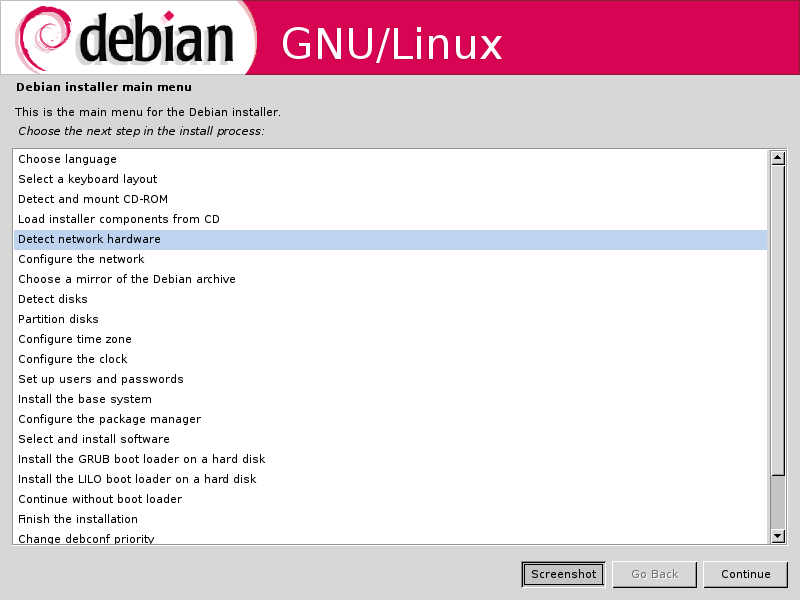
Fig: New GUI installer of Debian

In a short time, I was face to face with the new GUI installer which had a clean spartan look to it. The installer in itself has only three buttons. Them being "Continue", "Back" and "Screenshot". The "Screenshot" button will grab the current screen and save it as a PNG image in the /var/log/installer/ location which can be later accessed after the installation is complete. This imparts a nice touch to the whole process as it will, at a later time, aid in providing a visual walk-through of the installation steps to a first time user of Linux.

Debian Installation Walkthrough
The installation steps I had to go through are as follows :
  1. Choose language
    • Choose a country or region
    • Choose locale
  2. Select a keyboard layout
    • Type of keyboard
    • Keymap to use
  3. Detect & mount the CD-ROM
    • Modules to load - like usb-storage, floppy and so on.
    • Start PCMCIA ? Yes/No
  4. Load installer components from CD
  5. Detect network hardware - automatic detection
  6. Configure the network
    • DHCP or static IP
    • Set hostname
    • Set domain name
  7. Choose a mirror of the Debian archive
    • Choose the country
    • Choose ftp location
    • Enter any HTTP proxy information
  8. Detect disks - Automatic detection
  9. Partition Disks - Would be nice to have a help button here for first time users. For others the whole process is intuitive.
  10. Configure time zone
  11. Configure clock
  12. Setup users and passwords
    • Enable shadow passwords? Yes/No
    • Allow login as root ? Yes/No
    • Set root password
    • Create normal user account
  13. Install the base system
    • Select the kernel image - There are 20 images including those with SMP support for 2.4 and 2.6 kernels.
    • Select tools used to generate boot initrd
  14. Configure the package manager
    • Should the network mirror be chosen ? Yes/No
    • Use non-free software ? Yes/No - Really interesting!
  15. Select and install the software
    • Participate in Debian popularity contest ? Yes/No - Cool!
    • Select your choice of packages
      • Desktop environment
      • Web Server
      • Print Server
      • DNS Server
      • File Server
      • Mail Server
      • SQL Server
      • Laptop
      • Standard System
  16. Configure Exim v4 - Mail Transport Agent
  17. Choose dictionaries to use (US, GB...)
  18. Install Grub/Lilo Boot loader or continue without boot loader
  19. Finish the installation
Even though there are a lot of steps involved in the Expert mode of installation (the number of steps are a lot less if you choose the normal mode), each of them are easy to understand. I found the installer to provide fine grained control over which modules to enable.

Usually most Linux distributions enable all the modules available even though many of them are not needed for the particular machine hardware. But Debian allows one to enable just those modules that are most suited for the machine. For example, my machine does not have infrared or wireless supported hardware so I can choose not to load the kernel modules related to these.

Another aspect which endeared me to the Debian way of installing Linux was the sheer number of kernel images available to choose from. The installer provided a choice of no less than 20 kernel images from the 2.4 kernel fit for installing on a 486 machine to the 2.6 kernel with SMP support for Pentium class of x86 machines.

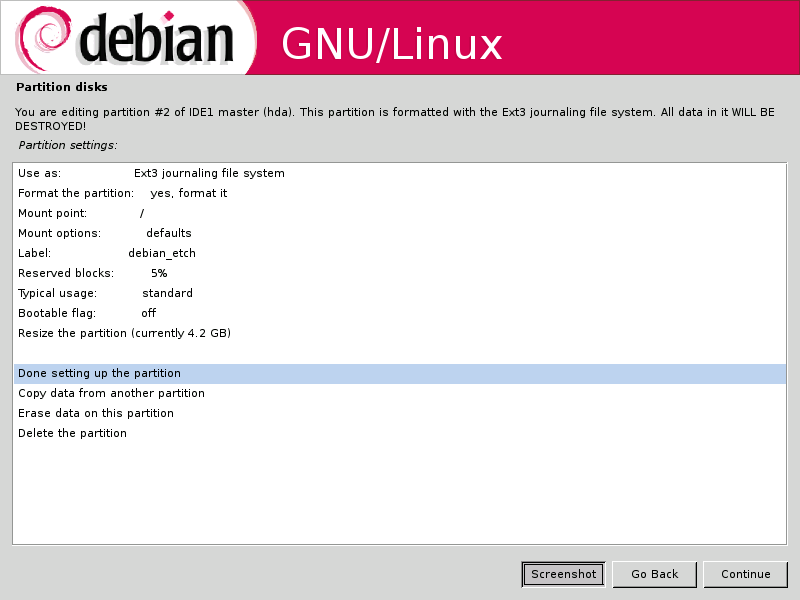
Fig: Partitioning the hard disk

The Grub boot loader also correctly detected the WindowsXP and Ubuntu 6.06 OSes residing on the other partitions on my machine though it failed to detect the FreeBSD OS. But then none of the other Linux distributions I have installed till now have correctly detected the FreeBSD OS while installing the boot loader.

If one has a net connection, I recommend choosing the standard system install (while installing the software) which will install a base system sans X server. And then it is only a matter of installing just those software which are needed using apt-get. I installed the standard system and then with an additional 150 MB download, I was able to setup a desktop system with an editor (GVim 7.0), a web browser (Firefox 1.5.0), a window manager Xfce 4.0 (a very good alternative to the more common heavy weights Gnome and KDE) and two graphics software Gimp 2.2 and Inkscape 0.44. It is clear that the Debian team have upgraded the Etch repositories to mirror the most recent versions of the software. For example, the Inkscape build was compiled as recently as July 2006.

And after all this, my Debian partition utilized only 1.1 GB space which includes the space used by apt-get for storing the packages downloaded for installing. I have started liking the Debian way of installing only what is necessary which does away with a lot of bloat. And I am sure this will be the preferred way of installing Linux in the future when majority of the people have access to high speed internet.

I found the new graphical installer similar to the text installer of FreeBSD in that it is possible to jump around back and forth in the different categories of the main menu. And once a particular task is finished, you are placed back in the main menu.

Bootup times of Debian
The boot-up times are significantly faster than any of the other Linux distributions I have used barring say Vector Linux or Gentoo which are also equally quick to boot up. I dare say I found Debian Etch to boot up quicker than Ubuntu :).

The Pros of Debian Etch beta 3
  • Comes with an easy to navigate graphical installer
  • Has a choice of 20 Linux kernels suitable for a wide variety of x86 machines.
  • Gives fine grained control over the installation with options to enable/disable specific modules.
  • Installs the latest versions of software. A real surprise!!
  • Quick boot up times.
  • Stable and secure - you get the same unadulterated operating system which powers many of the high traffic servers around the world.
  • Support for setting up encrypted partitions during installation .
The Cons of Debian Etch beta 3
  • Internet access is mandatory to install Debian unless you are willing to shell out money to buy a set of CDs.
  • No out of the box support for Flash, Sun's Java, proprietary audio formats, closed source graphics drivers and so on. And these have to be included by the users themselves.
Now for some rants ... ;-)
I had earlier noted that I got hold of the link to Debian Etch beta 3 from a prominent news site where a reader had graciously included it in his comment. Would I have succeeded in downloading the correct ISO (in my case the most recent one) if I had tried looking on the Debian website ? In all probability I would have ended up downloading the wrong version of Debian.

Agreed, Debian supports lots of architecture other than x86 and all these need to be given equal representation. But how much effort will it take to provide a download link to the latest version of Debian simultaneously recommending a specific version for desktop users (even if it is in beta stage) on the main page of debian.org site ? I would guess not much. The download link provided at present takes the visitor to Debian Sarge which is too outdated for use as a Desktop.

On this note, and with due respects, I feel Debian team seriously need to acquire some lessons in the ABC's of marketing. Just because it is a not-for-profit organisation doesn't mean that it has to refrain from marketing itself and rely exclusively on well wishers and enthusiasts to spread the word. It is high time that the Debian site is overhauled and made more user friendly (Read less cluttered) . For one, a new Linux user will not be able to make head or tail about Sarge, Etch or Sid. But if he is told which ISO image is most suited for a specific purpose, that will go a long way in making the end-user experience towards Debian much better.

I would love to see a forum hosted on the official site where users can post queries and help each other on Debian specific problems. If Debian has to regain the lost ground on the popularity front, then it has to take the desktop users (newbies ??) more seriously. While a system administrator is capable of taking care of problems he face with Debian himself, an ordinary user will need some directions. And Debian's capability in handling this section of users will decide how popular Debian gets in the coming future.

Having said all this, I eagerly await the final release of Debian Etch.

Sunday, 23 April 2006

Mind Map of Linux - Version 2

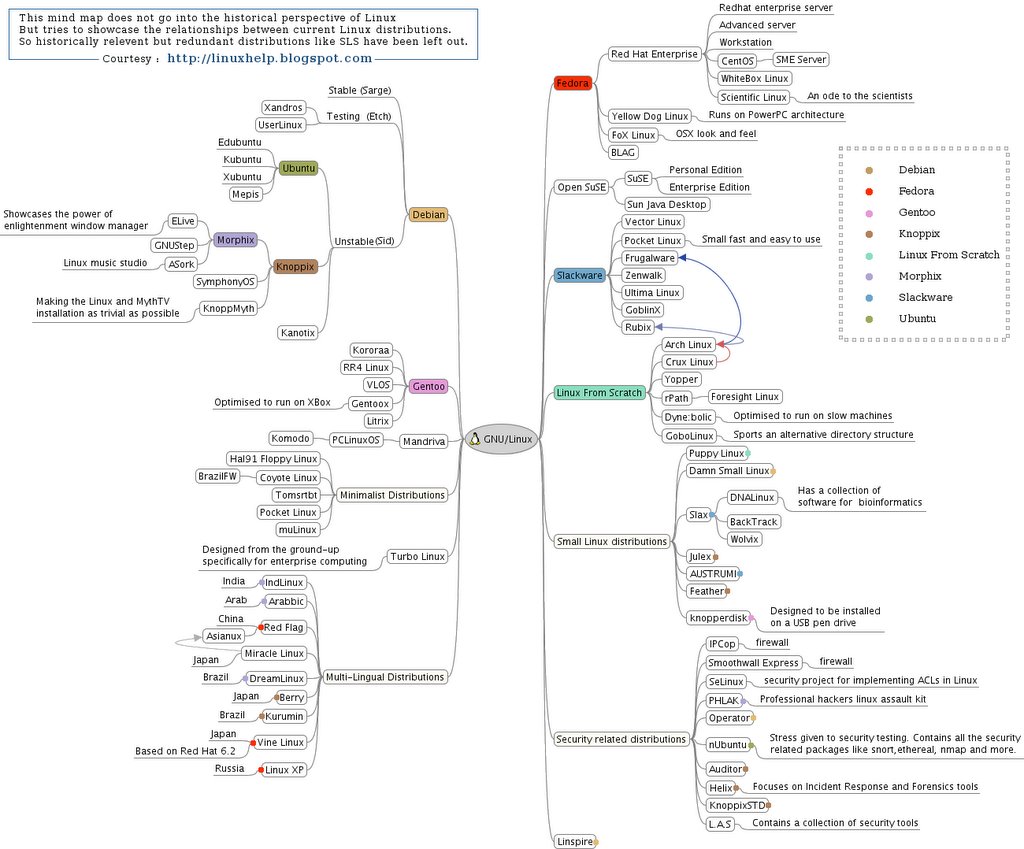
A few days back, I had posted a mind map of Linux distributions on this blog. And I received a flood of suggestions, criticisms and ideas. And guess what ? I have included (almost) all the ideas and suggestions made and have seriously taken into consideration the criticisms as well. The end result is this updated mind map of GNU/Linux with even more Linux distributions included and some color coding thrown in as well. But the challenge was in making the mind map retain its clarity even after all these changes. At the same time, I also wanted to restrict the size of the resultant image. And I think I have succeeded to a certain extent in this endeavor.

Fig: Mind Map of GNU/Linux distributions (Ver 2). Click on the image.

Suggestions and Ideas I have incorporated ...
  • More Linux distributions added
  • A separate section for multi-lingual Linux distributions
  • Color coding included on a small scale
  • Rectified some mistakes pointed out earlier.
  • The map now has a pure white background. So is much more clear.
And those I have not included ...
  • I have left out a couple of Linux distributions, especially those which are historically significant but which are not under active development like SLS, erstwhile Red Hat, Yggdrasil and so on. This is because I felt the mind map should mirror the state of current Linux distributions rather than be a historical time line of them.
  • Secondly, including these will also make the map more complex and I wanted to retain the simplicity of the mind map. And excluding such historically significant but redundant distributions helped in achieving this.
Hopefully, I will be able to add more Linux distributions as and when I get more inputs and ideas.
The credit for this updated mind map goes to all the readers of this blog who took the time to give suggestions, ideas and point out the mistakes on the previous map. Kudos to you all :) .

Update: You may download the high resolution PNG format of the mind map file here (File size: 206 KB).

Related Reads:
A complete concise history of GNU/Linux
My indomitable thoughts on GNU, Linux, Open Source, Java and free cats and dogs

Monday, 3 April 2006

The unabridged selective transcript of Richard M Stallman's talk at the ANU

Richard Matthew Stallman, the father of the GNU movement once gave a talk at the Australian National University where he explained his stand on the name GNU/Linux, the Digital Millennium Act, DRM which Stallman chooses to call Digital Restriction Management and software idea patents. He talked for over one hour explaining and throwing light on these and many other topics of interest to GNU and all freedom loving people.

RMS on why people should call it GNU/Linux instead of just Linux
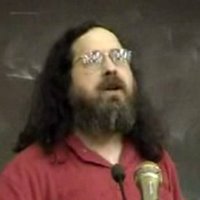
... So the goal we had set out to reach in 1984 had been reached (with the development of the Linux kernel). But at the same time, a confusion developed, we started thinking that the entire operating system was Linux. And this confusion was a serious blow to the free software movement. Because, before that time, the people who saw various pieces of GNU knew that they were doing so and they became GNU fans. And so when they came across the articles written about the philosophy of GNU, they wouldn't guarantee to agree with us but at least they would pay serious attention and say we are fans of GNU and this is the philosophy of GNU.

After there was a complete GNU system with Linux that you could get to run, people started thinking that it was Linux. But before that point, our software spread the philosophy and our philosophy help spread the software because when the people read this, if they agree, they will be motivated to develop more free software and add to GNU.

However after people started using essentially the GNU system with Linux added, and called it Linux, it no longer led then to the philosophy associated with GNU - the philosophy of free software. Instead of that, the people read the philosophy that was associated with the name Linux. The apolitical philosophy of Linus Torvalds who thinks that all software licences are legitimate and it is wrong ever to violate them. So his views on this are more or less the same as Microsoft's. Now he of course has the right to promote his views but I object to our work becoming the main basis for promoting his views because it is attributed to him directly by labeling the GNU system as Linux. And that is why I ask people to call the system as GNU/Linux.

Give us equal mention. We need it. We need it not just because it is fair but because it will help people recognize what we have done so they will think about what we are asking them help us do. Our work is not finished. People will sometimes give me advice which in other circumstances might have been wise. They would say, it looks bad to ask for credit. And so they say, when the people call the system Linux, smile to yourself and take pride in a job well done. This would be very wise advice if it were true that the job is done. We made a great beginning. We have developed more than one free operating system in our community and many free application programs. But there are many application programs we still have to develop. We have developed free operating systems used by 10's of millions of users. But there are 100's of millions of users of proprietary operating systems and even the people using free operating systems often use proprietary programs on top of that. So we have a tremendous amount of work to do.

RMS on Digital Millennium Copyright Act and DRM
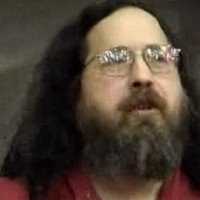
...
Today the main question is whether we would be allowed to develop the software that the users want. In the US, there are already two laws forbidding the development of various kinds of free software. One of these laws is the Digital Millennium Copyright Act - The law that forbids free software to access encrypted or some how blocked off data. This law was used to prohibit the free software from playing a DVD. If you buy a DVD in the US, it is legal for you to watch the movie. But the free software that would enable you to do this on your free GNU/Linux system has been censored completely. There is in fact no lawfully available software in the US that you could use to watch a DVD.

But I am afraid, they have carried this even further. There is a certain computer game that is accompanied by a network server that allows people to play against each other and they communicate with some kind of cryptic protocol. And people figured this out and implemented their own server and they have their own free game which is some what similar. They wrote it themselves and is not a modified work within modified proprietary game that won't have been illegal anyway. So they wrote their own game and they have their own server. And you could use either game and talk to either server. And they were sued. A court ruled that these free alternatives are illegal ones under the digital millennium copyright act. Now please note that using either one of these free alternatives doesn't enable one to use the proprietary one without paying. We have here two separate products being tied together through the use of this law.

The Digital Millennium Copyright Act is used to impose DRM (Digital Restriction Management) on the public. So they are not satisfied with prohibiting people from sharing with their neighbours. They want to redesign your computer system to stop you from sharing and this is wrong. DRM is fundamentally wrong in itself because it stops people from cooperating with their neighbours. And a government of the people, by the people and for the people will not enact laws that support DRM in any way. So that is one law which prohibits certain kinds of free software.

RMS on Software Idea Patents
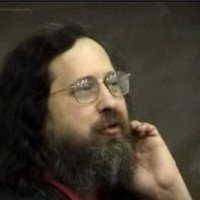
Another law in the US which prohibits free software from any progress of any kind is the patent law. In the US, any kind of software idea for use in any kind of software can be patented by some one. Which means that when you implement that idea, you could get sued. Now large programs combine many ideas. A program can combine easily 100's or 1000's of different ideas. And if any one of these ideas is patented, your chances of developing a large program without infringing many patents is absurdly small. So software patents are obstacles to all software development. And they threaten users as well. The users can also get sued for the software they are using, for the way they have configured their machines and so on.

And this is advertised as a scheme to promote progress. But economic research shows just the opposite. Now I used to ask people to imagine how many different patents one program could be implemented by at once. I would say dozens, may be 50. Well now we do not have to imagine. Somebody did a study, must have been a lot of work. He took one particular program named Linux - the kernel of the GNU/Linux system. And he checked for all the US patents that covers something that could be found somewhere in Linux. He found 286 different US patents that covers parts of Linux. And Linux is just one part of the system. I saw an estimate somewhere else that it was 25 % of the system.

So if we note, we can get a rough estimate of around a 100,000 or so different software idea patents in the US that would cover ideas used some where in GNU/Linux system of today. Of course, it is a rough estimate and it wouldn't surprise me if it were only 30,000 or as much as 300,000. So now you see the danger. And since this danger is not only for free software developers but for all software developers aside perhaps from the mega corporations, there is actually a very broad movement against the software idea patents. This movement which I am led to say I played a major role in starting about 40 years ago has actually persuaded the European Parliament which voted to reject software idea patents. Now European Union is set out to have only a little democracy in it. ... The process is not over yet and we are still fighting it but there is a good chance that we can win at the level of the European Union. Of course Microsoft wants software idea patents. Microsoft has stated that it intends to use software idea patents to kill off GNU/Linux.


RMS on developing a free Java platform and on Flash and MS Word file formats
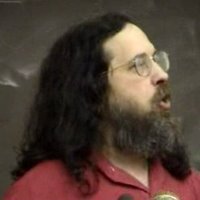
One of the big dangers in our community is that people start putting non-free software into the system and they call it bonus. They say it is a nice addition, it gives more features. Yes it gives you more features at the cost of your freedom. When these things are distributed separately, they call it value added packages. And that term makes it stick about your values. It says it values your convenience only, don't value your freedom. So I prefer to call them freedom subtracted packages. That makes a statement about my values.

But they also include them, incorporate them in various distributions of GNU/Linux system. For instance, Sun has a version of the GNU/Linux system which they call the Java Desktop. Now they are not giving credit either to Linux or GNU but that is not an important issue when we look at what they are doing which is really bad that is, including several non-free programs including Sun's Java platform. Sun's Java platform is not free software. You shouldn't install. If you do install it, you are putting yourself at risk of creating other problems for other people. There are people who are so attracted to java - they think this idea that will run on all platforms is so exciting - that they stop paying attention to things like what to pay attention to. They will write programs in java, they will write free programs in java and offer to people and it turns out it doesn't run on all platforms, it doesn't run on a free platform.

You see, we have free java platforms. But they don't implement all features yet. Sun keeps on adding features and our efforts are speeding up but they are still behind. So many of the java libraries or the newer language features, we don't have yet. So if you use them in your free program, it would run on a free platform and you will find that your program is actually an inducement to people to install non-free software. The same thing is happening when websites use java or websites use flash.

The use of flash websites is a major problem for our community. People are working in free software for playing flash. And now it more or less handles just the display of things but it doesn't handle reading input. If you see a website using flash, complain. Complain to the site developer saying you are excluding people who believe in maintaining their freedom. Please get rid of the flash from your site.

A similar problem occurs when people distribute files in word format. And peoples approach to this used to be find some way to arrange to read it. And I pointed out that this is actually not a right response in the long run. You see, people worked on figuring out the details of the secret of word format. And figured out a lot of them. So there is free software today like openoffice that can read word files. But it is still short term thinking just to address this problem as right because Microsoft can keep changing the word format. And every time they make word files in this new format and they send to other people and other people can't read them. And so they feel like have to upgrade word as well and the result is a large number of these windows users are using new version of word and they send us these word files in a different format which our software can't read. And maybe it is patented and we will get sued if we make our free software read.

To solve this office problem, we have to remove Microsoft's control over the language that people use to communicate with each other and with themselves - like saving your files so you could read your files later. We have to refuse to use word format for this. When people send you a word file, therefore don't cope with the situation by reading it. Instead it is much better to send back a message saying - please don't ever send me word files. This is contributing to a serious social problem. But send it in public documented formats which everyone is free to implement so you are not giving a particular company any power it shouldn't have.

Fundamentally, the use of non-free software program gives somebody power of the kind that nobody should have. And therefore software should be free. Computer users should always have the freedom to control their computers. And they should be free to cooperate with each other in doing so.

RMS on Free software Vs Opensource
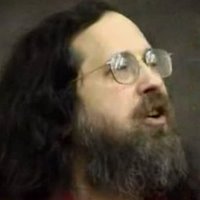
... In 1998, some of them started another way of talking about free software where they call it opensource. And with this different name, they have associated a different set of ideas. They don't say that this is a matter of the freedom that every user should have. In fact, they would often say that they recommend a development methodology which they say will generally produce more powerful and reliable software. And that may be true. I hope it is true. It would be nice if freedom provides as a byproduct, security of software. But it is a terrible mistake, I think, to focus all the attention on these short term practical benefits and ignore freedom itself. The danger is, then people would fail to defend their freedom when it is threatened as they wouldn't recognize what it is.

So if you imagine two people, one who is convinced by the opensource philosophy and another who is convinced by the free software philosophy. And you show these people a powerful, reliable, convenient, non-free program. What are they going to say ?

The opensource guy would say - "I am surprised you were able to do such a good job without letting the users study the code and find the bugs for you. But I can argue with the facts. It seems a powerful and reliable program". And he will probably use it. Where as the free software person will say - "I don't care how powerful and convenient it is if it takes away my freedom. I wouldn't pay such a high price for that convenience. I am going to get to work on a free replacement for this program right away before anybody else get tempted to use that program".

One person would give up his freedom when ever you can offer him convenience in its return and the other would fight for his freedom. And if enough of you fight for your freedom, freedom may prevail.

RMS on RMS
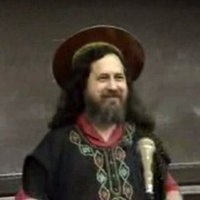
Now people sometimes have accused me of having a holier than thou attitude. I think that is not actually true. I don't criticise and condemn people just because they don't stand up for free software strongly as I do. As long as what they are doing is good, I will say what they are doing is good and I might suggest somethings they could do.

However, I do have a holy attitude because I am a saint. It is my job to be holy. I am saint iGNUcius of the church of Emacs. I bless your computer my child. Emacs started out as a text editor which became a way of life for many users because it could do almost everything without exiting Emacs. And ultimately a religion. We even have a great schism between two rival versions of Emacs. And now we have a saint too. Fortunately no gods. In this church, instead of gods, we have an editor.

To be a member of the church of Emacs, you must recite the confession of the faith. You must say, there is no system but GNU and Linux is one of its kernels. The church of Emacs has certain advantages compared with some other churches. To become a saint in the church of Emacs does not require celibacy. However, it does require living a life of moral purity. You must exorcise the evil proprietary operating systems that posses what ever of the computers under your control and install in all of them a holy free operating system instead. And then, only install free software on top of that. If you make this commitment to live by it, then you too would be a saint and you may eventually have a halo if you can find one because they don't make them any more.

Sometimes, people ask me if it is a sin in the church of Emacs to use the editor Vi. It is true that Vi-Vi-Vi is the editor of the beast. But using a free version of Vi is not a sin but a penance. And sometimes, people ask me if my halo is really an old computer disc. This is not a computer disc. It is my halo. But it was a computer disc in a previous existence.

This talk was originally video taped by ourTV - a community TV channel in Canberra but unfortunately, they were unable to get their project off the ground because of lack of funds. You can watch the whole video here (240 MB download).

Suggested Reads:

Wednesday, 22 March 2006

Incorporating special effects on the Desktop - A brief analysis

Recently, I came across this article where I read that a certain yet to be released proprietary OS required the top of the line graphics cards in order to display in full, the special effects that were being integrated into it. This set me thinking....

Why is the OS industry obsessed with providing richer, processor intensive graphical effects ? Shouldn't the stress be more on providing a functional desktop which runs on average hardware rather than an obsession with eye candy? After some pondering, I realised that this trend has more to do with the market dynamics. It is about staying ahead in the game. The proprietary OSes need to give their users a valid reason to upgrade to the next version. So improvements in the security as well as functioning of the OS is not enough. There should be something more tangible. And the answer to it is swarming the users with more eye candy and special effects which, hopefully can be made a selling point in making the users part with their money.

This trend has become so prominent that Linux corporations like Novell and Red Hat are compelled to take an active interest in the development of special effects in Linux too through projects like AIGLX and XGL which (they hope) would be an answer to the competition.

Now lets get this right; many of the software applications which run on the OS rightfully need to be feature rich. For example, a game like Half-Life will be well received if it incorporates better graphics and modelling which utilizes the extra processing power. But building more special effects in the OS level will rob the extra power and memory from the applications and games which rightfully require them.

There are other valid reasons too which prompt me to take the viewpoint that less eye candy is better for the OS. Experience tells me that it is futile to do productive work within a desktop with all the special effects enabled. The last time, I tried it, I was severely distracted and fell short of completing my work. Is it just me or are there others who have been through the same experience ? To do productive work, it always helps to have a fully functional but spartan desktop.

Thankfully Linux aims to provide a balance between both the worlds. One example where this balance is evident is in the clearlooks theme on the Gnome desktop. I find this theme really pleasant at the same time less distracting. And again, one is not compelled to upgrade the OS just to get the new features which are provided by the software developers.

But the Windows users do not have this luxury. For example, a person using Windows 2000 will be forced to buy a copy of Vista if he needs the added security and extra features like better search. And to install Vista on his computer, he will most certainly have to embark on a spending spree to upgrade his PC to accomodate the extra special effects that are integrated into the OS. The alternative being to keep on using the same old OS with reduced features and dwindling security updates.

The bottom line is that it is more beneficial for the users to have a choice when deciding on the features that the OS provides and Linux most certainly is strong in providing these choices.