

Showing posts with label Fonts. Show all posts
Showing posts with label Fonts. Show all posts
Sunday, 19 June 2011
Cute and Fun Fonts For Your Design
Stay calm and let's fuel your creativity today with these cute and fun fonts @ Best Photoshop Tutorials. Naturally, you can use them for any project {anything that doesn't require some serious and uptight fonts}. My recommendation would be for birthday card, baby shower invitation or could work for your letter to that special someone {who knows}. All of these fonts are free for download. So, save

Wednesday, 16 February 2011
All the Fabulous Fonts Collection
I love fonts. There's no doubt about it. When it comes to fonts, I have come to believe that the more I have, the happier I am. If you lead your life with the same philosophy as mine, then this page will definitely (maybe) be a bookmark for you. We're compiling all kinds of fonts here. Script, handwriting, grunge, romantic, curvy, cute and scary fonts. You name it. If it's not here now, then it
Sunday, 4 July 2010
Romantic Fonts and Script Fonts Collection
I am not an expert in love or romance. But I do have my own opinion when it comes to romantic-looking fonts. I present to you my free collection (except for one) of cute and lovely fonts, also some script fonts in beautiful song lyrics. So, if you're writing a love letter and worried that your own handwriting doesn't have that impeccable ability to melt anyone's heart, try one of these romantic
Saturday, 19 June 2010
Download Adjustable Text Effect Action Set
Weekend is coming and it's time for a new action. This action set contains 12 effects for your text. And what so special about it, is that all 12 effects are totally adjustable after you are done running the action. The effects are created using the available Layer Style options in Photoshop. So, you can always manually change your font, size of the text, even the color if you want, after the
Monday, 3 May 2010
Fabulous Fonts in Capital Letters
In your design, sometimes it will be much easier to use all uppercase fonts. Naturally, when you type in caps, each letter takes the same amount of space horizontally and vertically. So, you can closely arrange a word without overlapping the words below or above it which often happens when dealing with the g's, y's, l's or k's in lowercase letters. Of course there's no denying that a combination
Sunday, 5 July 2009
60+ Handwriting Fonts Cool Collection
Tired of those block or Serif fonts that make your design look somewhat serious and boring? Yes, no, maybe? What? You want me to repeat the question? How about I give you the answer instead. Try some of these handwriting fonts to add the personal touch to your design. Okay truth be told, maybe there's a lot more handwriting fonts out there, but I hope this compilation would be a good start for
Tuesday, 11 November 2008
50+ Coolest Grunge Fonts on the Planet
My list of 50 Coolest Grunge Fonts on the planet. Not only grunge fonts, I also included some eroded fonts, distorted fonts or even the stencil ones..whatever fits my grungy mood nowadays. All of them are free fonts..thanks to all those cool font-makers. So, if you're into grunge right now, go ahead and check out this list of my favorite grunge fonts..who knows, you might find something you like.
Thursday, 16 October 2008
100+ Fonts for Icons and Avatars
This post contains 100+ recommended fonts that can be used to decorate your icons, banners, graphic or whatever it is you decided to do with it. Clicking on the font name will take you to the download page of that particular font. Most of the fonts here are available for free (since people tend to love free stuffs) and only a couple of them are commercial fonts (don't hate me for this..but I'm
Friday, 26 September 2008
20 Lovely Romantic Fonts
Looking for a cute font to express your love and romantic gesture. Maybe you're browsing the web for a nice script/calligraphy font for your wedding card (or for a friend if you haven't found your soul-mate yet). You could be in a situation where you're designing a valentine day card and just wish you had a selection of several romantic fonts to choose from. Well, today isn't a bad day after all
Monday, 8 September 2008
25 Beautiful Handwriting Fonts to Download
Today, I've selected 25 most beautiful handwriting fonts you should have in your computer...of course it's not a rule or anything. But still, it feels good to have them everytime you use Photoshop, if you're a font freak like me. Plus, they're all free fonts. My favorites are Notepad, Pea Alesa, Marka, Desyrel, Bobcat and Trashhand. You can pick yours.1. NotepadDownload Font Here2. King Cool
Wednesday, 29 August 2007
Guess what this mystery character is used for ?
Today I came across an interesting blog post related to a mystery character. The character in question is the one shown below.
 Fig: Picture of the mystery character.
Let's see what effect this mystery character has when it is cut and pasted in different text fields....
 Fig: Firefox address bar
 Fig: Pasted inside Gimp
As you can see, after this character is pasted, all the succeeding text is typed backwards from right to left. Really strange.
The closest valid explanation that was made was the following comment made by Charlie Halpern in the afore mentioned blog. And I quote ...
As noted about, the backwards type comes from the other characters, not from the circle of commas. The circle of commas (҉) is the Unicode character U+0489 COMBINING CYRILLIC MILLIONS SIGN. It actually is supposed to combine with the character before it, surrounding it with them crazy commas. It is a historic character that isn’t much in current use. See this pdf document for more details.
Note: For this unique magic to work, the program into which you paste this symbol should support unicode. For example, pasting this symbol in an 8-bit Ascii software such as Windows Notepad or Internet Explorer will display a series of gibberish.
Saturday, 12 May 2007
Metric equivalent of Microsoft fonts for Linux
Visit any random website and chances are the website expects your machine to have a set of fonts which have become the de-facto standard on the Internet. The fonts being Arial, Times New Roman, Courier New and so on. While it may not be illegal to install these fonts on a Linux machine, they are propritery and are owned by Microsoft. And Microsoft does not licence third parties to redistribute these fonts - a reason why you don't find these commonly used popular fonts installed in Linux by default.
This is going to change once and for all. Red Hat in association with Ascender Corp has developed a set of fonts which are the metric equivalent of the most popular Microsoft fonts, and they have released it under the GPL+exception license. Three sets of fonts have been released, them being:
- Sans - a substitute for Arial, Albany, Helvetica, Nimbus Sans L, and Bitstream Vera Sans
- Serif - a substitute for Times New Roman, Thorndale, Nimbus Roman, and Bitstream Vera Serif and
- Mono - a substitute for Courier New, Cumberland, Courier, Nimbus Mono L, and Bitstream Vera Sans Mono.
The advantage for Linux users is that now you don't have to explicitly install Microsoft fonts anymore as the web sites or documents which use Microsoft fonts will display flawlessly using the metric equivalent fonts which can be included in all Linux distributions by default.
The work on the fonts is yet to be completed and so will be released in two stages. In the first stage, all the fonts are released as fully usable but will lack the full hinting capability provided by True Type/Free Type technology. In the second phase of the release which will happen some time in later half of 2007, the fonts will have full hinting capability and will be at par with or excel the Microsoft fonts in quality. For now Red Hat has made available all the fonts for download so that you can test it on your machine.
Creating good quality fonts - ie. fonts which retain its quality even in smaller sizes is a very tedious and time consuming process. And buying good quality fonts is a very costly affair with each set of fonts costing anything upwards of $100 . By taking the initiative to develop good quality fonts which are the metric equivalent of Microsoft fonts, and releasing them under a Free licence, Red Hat has done a very good deed for the Free Software and Open Source cause.
Creating good quality fonts - ie. fonts which retain its quality even in smaller sizes is a very tedious and time consuming process. And buying good quality fonts is a very costly affair with each set of fonts costing anything upwards of $100 . By taking the initiative to develop good quality fonts which are the metric equivalent of Microsoft fonts, and releasing them under a Free licence, Red Hat has done a very good deed for the Free Software and Open Source cause.
Sunday, 18 February 2007
Tip to properly render and read Indian language websites in GNU/Linux
Yahoo India has been on a drive to localize its web content. The result being a series of portals in a multitude of Indian languages which includes Tamil, Kannada, Malayalam, Hindi, Gujarati and so on. And it has made it easier for the visitors to view the website in the Indian language of their choice by using the web address format as follows - which is :
http://in.yourlanguage.yahoo.com/Suppose your mother tongue is Tamil, you can view the Yahoo India web page content in Tamil by typing the address 'http://in.tamil.yahoo.com/'. Cool isn't it ?
 Fig: This is how the website rendered before Indic fonts were installed
But while viewing the website rendered in the Indian languages, I was not able to read the content as the relevant Indian fonts were missing on my machine. After some search, I found that there is a package containing a variety of Indian language fonts available for Linux. They are popularly known as Indic fonts.
 Fig: Website after indic fonts were installed
If you are using a Debian based Linux distribution, you can easily install the fonts via the command :
# apt-get install ttf-indic-fontswhich will install all the Indian language fonts on your machine. And once they are installed, it will be possible to view and read the Yahoo India websites in your regional language.
 Fig: Yahoo webpage rendered in Malayalam
 Fig: The same web page rendered in Hindi
You can even copy and paste pieces of text from the website to a text editor provided the text editor has been compiled with Unicode support.
Monday, 1 January 2007
15 tips to choose a good text type
When you use good fonts in articles either in print or in screen, it always makes a positive impression on the reader. Good fonts motivate a person to read the article from start to finish. Many times I have come across books - especially scientific journals which have a very small type face - so small that you end up squinting your eyes to read the text. In those circumstances, even if the article in question holds my interest, I usually pass it by or at the most just skim through the headings. Now a days most books that are printed have a good type face and the publishers have realized the advantages of using scientifically designed fonts to enhance the reading experience.
But selecting a good text type is not just imperative for printing, it holds equal importance in publishing articles for the web. Till a few years back, the font rendering in Linux was below par and the result was that viewing web pages was atmost lackluster. But now a days, rendering fonts in Linux has been significantly improved with support for anti-aliasing and sub pixel hinting that it has turned into a very good experience.
In a previous post titled "Optimal use of fonts in GNU/Linux", I had mentioned about all the facets related to fonts and how one can optimally use fonts in Linux. Now Juan Pablo De Gregorio blogs about the characteristics of good fonts and what fonts are good in a particular situation which makes an interesting read.
Monday, 4 September 2006
Optimal use of fonts in GNU/Linux
Ask any person who has used a computer atleast once and he will agree that fonts form a very important part of the operating system which is installed in the computer. At one time, GNU/Linux lacked good font support and any webpage viewed in a web browser was at the most lackluster.
Things changed somewhat with the release of good set of fonts for GNU/Linux called Bitstream. But even now the Linux counterparts (Mac OSX and Windows) enjoy a slight edge as far as good fonts are concerned. One look on the web will throw up lots of fonts and each of them can be installed in Linux but they lack in one aspect or the other and it costs a bundle to buy a good set of fonts. So the big question is - how do you enhance your Linux experience ? And is it possible to do so with the default set of fonts that are bundled with Linux?
Avi Alkalay, Donovan Rebbechi and Hal Burgiss together has written an enlightening article which explains all the facets related to fonts and how one can optimally use fonts in Linux which makes an informative read. I found the article exhaustive in its handling of this subject and contain such unique information as different types of fonts, steps for migrating a set of fonts from one system to another, the font technologies such as true type, bitmap fonts and so on, different places from where one can source good fonts for use in Linux and finally a collection of font software for Linux. The article is replete with screenshots and is a must read for any Linux enthusiast who is interested in further enhancing the user experience in Linux.
Saturday, 29 July 2006
The case of some Flash based games unable to display text when viewed in GNU/Linux
One persistent problem I used to face while using GNU/Linux was when I visited sites containing certain flash based games. The games played well but they never displayed the text embedded in it. I thought that it was a drawback of the flash player ver 7 provided for Linux. It never occurred to me to dig into the problem and find why it was happening so.
But recently, in the process of installing a software package, I installed all the core Microsoft fonts on my machine running Linux. In Ubuntu/Debian, there is a package called msttcorefonts which bundles all the most common true type Windows fonts. You can also copy the fonts from your Windows partition to Linux if you are dual booting between the two OSes. Once the fonts were installed, I was pleasantly surprised to see the above mentioned problem disappear.
That was when it struck me that perhaps the flash game in question could be using a Windows specific font to render the text in the game. And since there are no Windows fonts on a default Linux installation, the flash game/site is unable to show the text.
 Fig: The game viewed on a system devoid of Windows fonts
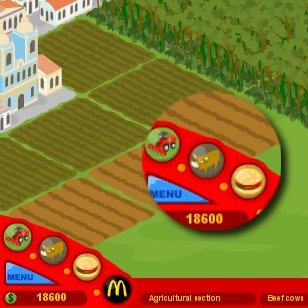 Fig: ...and after the Windows fonts were installed.
So the next time you visit a flash site and can't see any text, be sure that it is because you don't have Windows fonts on your machine running Linux.
Thursday, 1 December 2005
Adding Windows Fonts in Linux
Unlike past times, Linux do come with good fonts. And the font rendering can be made better by choosing to antialiase the fonts. But at times you come across a website which has been designed with the windows user in mind. Such websites are best viewed with one of the windows fonts. If you have windows OS installed on your machine, you can copy the essential fonts from the windows partition to linux and use them to get a better web experience. Here is how you do it.
Method I :Copy the ttf (True Type Fonts) fonts Ariel, Tahoma, Verdana, Courier New and Times New Roman from the windows partition to the fonts:// location in nautilus.
Method 2 :
Some people who are using Ubuntu have said that they can't do it as normal user. And since Ubuntu does not have a root account, they find difficulty in using su to copy eaither. Such people can do the following:
Create a '.fonts' folder in your home directory and copy the necessary fonts into it. Now you have access to the fonts on a per user basis.
Method 3:
This method can be used to install the fonts system wide if the above two methods do not give satisfactory results.
First find out in which location linux has installed the truetype fonts. It is usually at the location '/usr/share/fonts/truetype/' . But you may also do a search for the same as follows:
# find /usr -iname \*.ttf |head -n 5Once you know the path of the fonts directory, move to this directory and create a folder there (it can be any name).
# cd /usr/share/fonts/truetype
# mkdir windowsfontsNext copy all the windows ttf fonts to the windowsfonts directory that was just created.
# cp /media/hda1/windows/Fonts/*.ttf .Now change the ownership of the fonts as well as make sure they have a right of 644 .
# chown root.root *.ttf
# chmod 644 *.ttf
Now run the command mkfontdir while in the windowsfonts directory.
# mkfontdirThis will create an index of the fonts in the directory. It will also create two files fonts.dir and fonts.cache-1 .
Now moving to the parent directory, edit the file fonts.cache-1 using your favourate editor and append the following line to it.
#File: /usr/share/fonts/truetype/fonts.cache-1Lastly run the command fc-cache.
...
"windowsfonts" 0 ".dir"
# fc-cacheThis command will scan the font directories on the system and build font information cache files for applications using fontconfig for their font handling.
That's it. Now you can have access to windows fonts in all your X applications including firefox and OpenOffice.org.
Wednesday, 5 October 2005
Configuring Xterm in Linux
Xterm is a terminal which runs in X. In linux when you open xterm, you get a small window with a small - hard to read - font by default. Compared to the ordinary xterm, the gnome-terminal and konsole come loaded with lots of features and are good to view. So why would anybody use an xterm over the other two? The answer lies in its low memory foot print. While konsole takes a whooping 8MB and gnome-terminal over 3MB of memory, you can run xterm under 1MB which makes it blazingly fast even when your computer has only 64MB of RAM.Read more »
Friday, 3 September 2004
How to use windows fonts in Mozilla (linux)
In order to do that, you needed to copy the fonts you use for Windows XP Pro to Linux. Here are the steps to get fonts over to Linux and how to activated them:
1. If you don't have a /usr/share/fonts/TrueType directory, create one.
# mkdir /usr/share/fonts/TrueType
# cd /usr/share/fonts/TrueType
2. Make sure that all the font files you're copying have lower-case extensions, so if you have files like font.TTF, rename that to font.ttf
3. Copy the fonts to /usr/share/fonts/TrueType
4. Change into that directory:
# copy /mnt/C:\/windows/fonts/*.ttf /usr/share/fonts/TrueType/. # cd /usr/share/fonts/TrueType 5. Issue the following commands to build the necessary fonts.scale and fonts.dir:
# ttmkfdir -o fonts.scale
# mkfontdir
6. This should have now created the fonts.scale and fonts.dir files
7. Now go to you /etc/X11 directory so that you can add the new font directory to the search path of your X server by adding it to the fonts section of XF86Config
8. Edit XF86Config - Go to the "Files" section and add the FontPath there, mine looks like the following after editing:
RgbPath "/usr/X11R6/lib/X11/rgb"
FontPath "unix/:7100"
FontPath  "/usr/share/fonts/TrueType"
9. Now for the Mozilla part! Go to the directory you installed Mozilla in, located at /usr/local/mozilla. Change into /usr/lib/mozilla-1.4/defaults/pref. Note your mozilla may be installed somewhere else. In redhat, try
# rpm -ql mozilla grep unix.js to get the path where your unix.js file resides.10. Backup the unix.js preference file so that you can get back to it if anything screws up:
11. cp unix.js unix.js.bak
12. Edit the unix.js file and look for the TrueType section and change it to look like the following snippet:
// TrueType
pref("font.FreeType2.enable", true);
pref("font.freetype2.shared-library", "libfreetype.so.6");
// if
libfreetype was built without hinting compiled in
// it is best to leave
hinting off
pref("font.FreeType2.autohinted", false);
pref("font.FreeType2.unhinted", false);
// below a certian pixel size
anti-aliased fonts produce poor results
pref("font.antialias.min", ;
pref("font.embedded_bitmaps.max", 1000000);
pref("font.scale.tt_bitmap.dark_text.min", 0);
pref("font.scale.tt_bitmap.dark_text.gain", "0.7");
// sample prefs for
TrueType font dirs
pref("font.directory.truetype.1",
"/usr/share/fonts/TrueType");
pref("font.directory.truetype.2", "/usr/X11R6/lib/X11/fonts/TTF");
//pref("font.directory.truetype.3",
"/u/sam/tt_font3");
pref("font.FreeType2.printing", true);
Now you'll enjoy a MUCH clearer veiw of websites you visit!
Subscribe to:
Posts (Atom)